RestoRoulette

RestoRoulette/Features/Admin back office

The back office behind the wheel

Whoever runs the app sees how it is used: who signs up, which groups are open, which places win, and what people think of them.

One click, no account, no download. The restaurants and people are made up, and your changes stay in your browser.

Admin back officerestoroulette.techma.ai
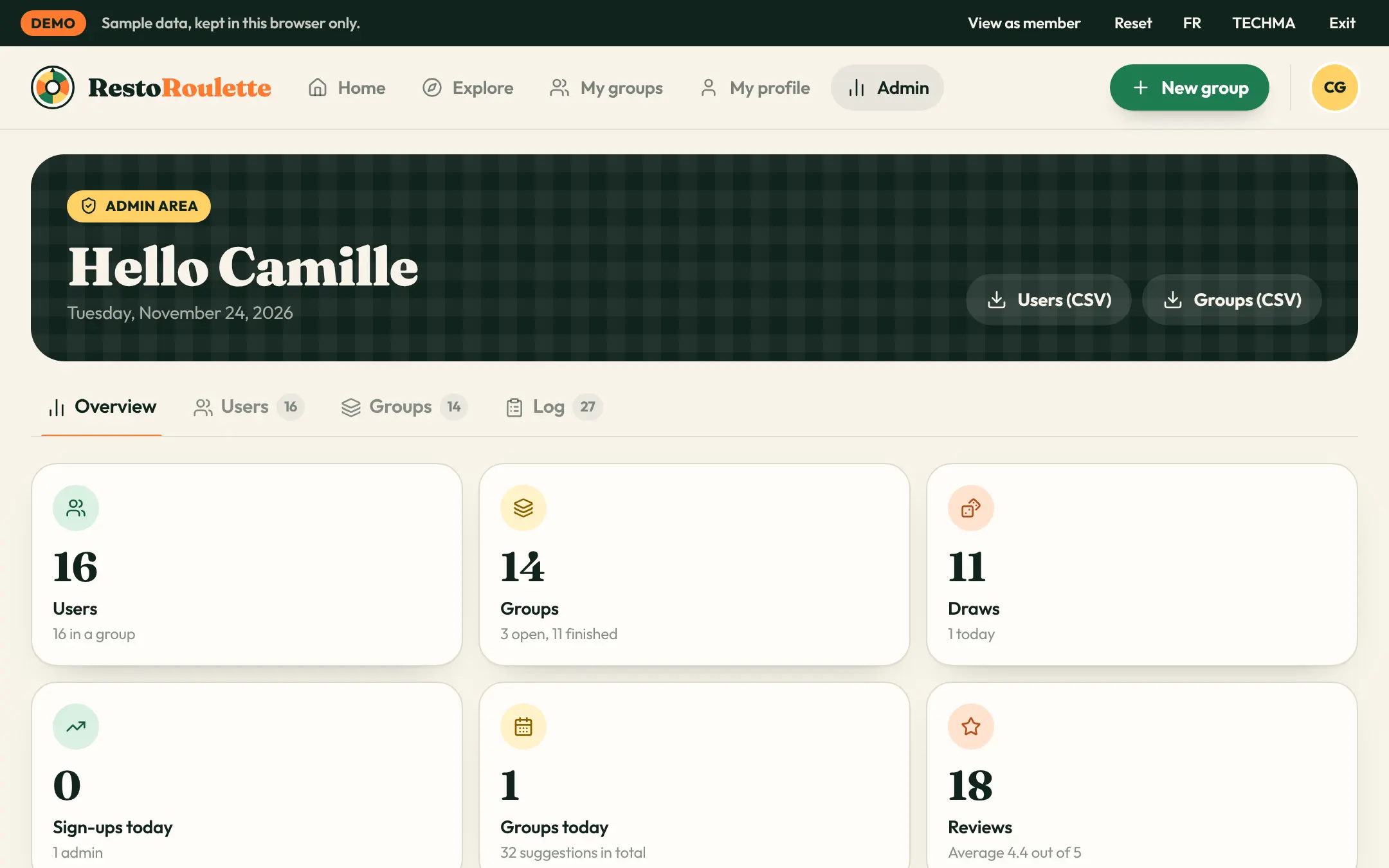
RestoRoulette admin overview with key figures, a fourteen-day chart and the latest draws

Overview

Six figures open the page: users, groups, draws, sign-ups today, groups today and reviews with their average. A chart shows the draws, sign-ups and new groups of the last fourteen days, next to the latest draws and reviews.

Users and groups

  • Search by name or e-mail, or by group name.
  • Roles. Make someone admin, or back to member. Nobody can remove their own admin rights.
  • Delete an account or a group, with a confirmation.
  • Filter groups by open or drawn.

Log and exports

The activity log lists sign-ups and draws in order. Users and groups export to CSV files that open in Excel.

Questions

Asked before the first spin

Can I see the admin space in the demo?

Yes. On the demo's entry page, choose 'Enter the admin back office'.

Live demo

Stop debating. Spin.

RestoRoulette is a working app, not a mock-up. Open a group, suggest two places, watch four friends join, then spin the wheel and see where you're eating.